Showing posts with label graphics. Show all posts

Monday, March 26, 2018

More Freebies


I found these free pics and over 700K more at Freepik.com, which allows you to download any of them without strings. All you're asked to do is provide a photo credit line, which they provide already coded for your web site or blog. There is a daily limit (five images, I think) if you use the site as a guest, but if you register for a free user account you can get at more.

Image Credits:

Roses: Designed by Freepik

Clock: City image created by Www.slon.pics - Freepik.com

Mask: Designed by Freepik

Monday, February 07, 2011

Digiart Ten

Ten Things to Help with Your Digital Art

Daz Studio 3D is "a free, feature rich 3D figure design and 3D animation tool that enables anyone to create stunning digital imagery. This is the perfect tool to design unique digital art and animation using virtual people, animals, props, vehicles, accessories, environments and more. Simply select your subject and/or setting, arrange accessories, setup lighting, and begin creating beautiful artwork" (OS: Windows XP/Vista, Mac OS X 10.4 or higher)

Greenfish Relief Map Generator is a neat utility program that "generates random images which resemble real relief maps. The randomized maps contain settlements with random names, hills, plains, lakes and seasides. The program can generate random town names (which are fictious and do not exist anywhere), or pick them randomly from a provided text file. The generated images are public domain and can be used anywhere" (OS: Win 9x/NT/2000/XP/Vista)

Inkscape is a "Linux, Windows & OSX vector graphics editor (SVG format) featuring transparency, gradients, node editing, pattern fills, PNG export, and more. Aiming for capabilities similar to Illustrator, CorelDraw, Visio, etc." (OS: 32-bit MS Windows (NT/2000/XP), All POSIX (Linux/BSD/UNIX-like OSes), OS X, Linux)

OpenClipArt, founded in 2004 by Jon Phillips & Bryce Harrington, is a project that "aims to create an archive of clip art that can be used for free for any use. All graphics submitted to the project should be waived of all rights, including copyright, according to the CC0 Public Domain Dedication."

PhotoFiltre is "a complete image retouching program. It allows you to do simple or advanced adjustments to an image and apply a vast range of filters on it. It is simple and intuitive to use, and has an easy learning curve. The toolbar, giving you access to the standard filters with just a few clicks, gives PhotoFiltre a robust look" (OS: Win 98/ME/NT/2K/XP/Vista/7)

Sculptris is a "free, 3D digital sculpting program. Sculptris is small and focused at its main task, which is sculpting and painting models" (OS: Windows XP/Vista/7)

Shape Collageis a "free and easy to use Java based application that will allow you to create picture collages in less than a minute with just a few mouse clicks. Shape Collage will place photos automatically and intelligently using a machine learning algorithm" (OS: Windows XP/Vista/7, Mac OS X, Linux)

TrueSpace is "a fully-featured 3D authoring package that will let you model, texture, light, animate and render 3D content. As well as traditional images and movies, you can also make 3D content for online shared spaces, and for Virtual Earth. Truespace features quick easy character animation and physics. 1000 frames real time can be rendered in a couple minutes. An entirely re-written X format exporter lets you save your trueSpace creations to load into game engines such as XNA to develop games for Windows or the Xbox 360. Also included is an export to Virtual Earth which will let you place your 3D creations straight into Virtual Earth from trueSpace. Now you can place whatever you make into real world locations in Virtual Earth and share them with others" (OS: Windows XP/Vista)

Whiteboard Lite is a collaborative drawing tool which allows "two iPhone or iPod touch devices to create pictures together over Wi-Fi or Bluetooth peer-to-peer."

WPClipart is "a collection of high-quality public domain images specifically tailored for use in word processors and optimized for printing on home/small office inkjet printers. The common image format is lossless PNG, but in most cases there are also JPG versions as well as transparent PNG, more clip art now includes SVGs and, for some of the page borders/backgrounds, PDFs" (OS: Windows 2000/XP/Vista/7)

Wednesday, July 21, 2010

Patchwork Generator

Today's incredibly cool link* is for the quilters out there, or anyone who would like to convert an image into patchwork:


With Victoria & Albert Museum's online patchwork pattern generator, you upload an image, select the number of colors and complexity of of the patchwork, and generate your own custom-designed pattern.

If you wanted to use cover art to generate a quilt pattern, I'd recommend using only covers with very simple imagery because the pattern maker does have its limits. Here's an example of what it did with the cover art for Evermore:


As you can see some of the detail and all of the words are lost in conversion, but if you've got a strong graphic cover you could probably generate a neat pattern of just the imagery.

*Gleefully swiped from Gerard over at The Presurfer.

Tuesday, June 29, 2010

Collage It

I've been looking for a way to make some photo collages from my digital collections, and in the process found a simple-to-use freeware that produces fabulous results.

When Collage It says you can make photo collages in minutes with just as few clicks, they aren't exaggerating. I downloaded the freeware, watched a brief tutorial that auto played after the download -- and I recommend if you give this a try you do the same, because it runs you through what to do in just a couple minutes -- and then a couple minutes later I finished making this (click on image to see larger version):


The first version was about three times this size; I resized it for uploading to Photobucket and viewing on the internet. You can also shuffle, rotate, sparse and preview your collage before you save it in an image file (BMP, JPEG, PNG, TGA, GIF etc.) The program also has different options you can play with to produce different types of collages (and to see a gallery of sample collages, click here.)

I didn't expect this kind of quality from something that was so simple easy to use, and it's terrific to find it for free. I can think of a couple dozen different uses for it, too, from family stuff to cover art promo to characterization collages. It would also be an interesting way to show off what you're reading, or display some of your favorite books.

Collage It is for Windows 2000/XP/2003/Vista/7, and when I downloaded the program it was virus-free, but as always remember to take the usual precautions and scan it before you put it on your hard drive.

Thursday, July 02, 2009

LB&LI Graphics

I'm still not here, I'm a fig newton of your imagination. Honestly. But once I get this book out of here, which had better be yesterday, I will be answering e-mails and posting more details on the 2009 Left Behind & Loving It workshops.

In the meantime, I have a couple of graphics for LB&LI; mine is nothing fancy but everyone is welcome to use it on their site or blog with their workshop post(s). Also, a couple of neat ones from last year that were made by Alison Kent and Karen Duvall:


This is my 2009 logo.
Direct link: http://i259.photobucket.com/albums/hh289/LynnViehl/LBLIlogosmall.jpg


This one was created by Alison Kent.
Direct link: http://i259.photobucket.com/albums/hh289/LynnViehl/lbli.gif


This one was created by Karen Duvall.
Direct link: http://i259.photobucket.com/albums/hh289/LynnViehl/LBLIGraphic.jpg

Wednesday, May 20, 2009

New Bio Pic

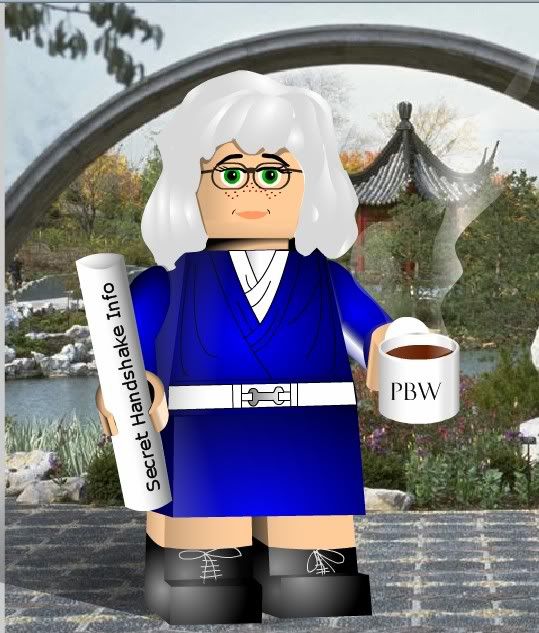
After seven years of hiding in my ivory tower avoiding the camera, I've finally caved in and let Publishing have an updated bio photo of me.

We put it together first thing in the morning; I didn't let them trowel on the makeup this time, nor did I let them touch up my white hair or freckles. I did a French twist with my hair at first, but that always makes me look like the Abominable Schoolmarm, so I shook it loose.

I was glad we went totally au naturale. Well, with clothes on, but it's 100% true to life. And here it is.

So what do you think? Should I have worn my hair up? Does the tea mug and the ancient Publishing Scroll 'o Wisdom make it look too busy? Or should I have been a little more daring, maybe clipped on an eye patch and a parrot on my forearm (hey, I did go to high school with Johnny Depp...)

(To update your own bio pic for free, head over to see my photographer.)

Monday, April 20, 2009

Imagery Ten

Ten Things About Images and Graphics

Freeware caution: always scan free downloads of anything for bugs and other threats before dumping the programs into your hard drive.

If you're looking for images that contain the same colors as one of your own, you can upload your pic and get an entire page of them with Idée Labs' BYO Image Search Lab.

FotoSketcher is "a 100% free program which can help you convert your digital photos into art, automatically. If you want to turn a portrait, the photograph of your house or a beautiful landscape into a painting, a sketch or a drawing then look no further, FotoSketcher will do the job in just a few seconds" (OS: Win 2000/XP/2003/Vista)

Mark Tyler's mtPaint is a paint program that "uses the GTK+ toolkit (version 1 or 2) and runs on PC's via the GNU/Linux or Windows operating systems. Due to its efficient design it can run on older PC hardware (e.g. a 200MHz CPU and 16MB of free RAM.)" Also operates in several languages other than English (OS: Win 9x/ME/NT/2K/XP/2K3; Linux)

Multicolor browses for images on Flickr that match a color you pick out from their grid.

If you'd like to try uploading an image to a sketch generator (like an online version of FotoSketcher), stop by Sporkforge.com's Sketch Generator.

Retrievr will also find Flickr images that match something you sketch in their little paint window or upload as an image.

Sqirlz Morph multi-morphing freeware allows you to "mark features on several images, and the program mixes the images so that each feature on one image moves smoothly to the corresponding feature on the other images - a technique widely used in the film industry" (OS: Win ME/2000/XP/Vista)

Someone (you know who you are) asked if I knew of a search engine that would match an uploaded image to something on the web (helpful if you want to check and see if your cover art had been used before) -- you might try the reverse image search engine Tinyeye.

Also from Idée Labs, the Visual Search Lab Alamy Set allows you to search by tag and pixel color.

In need of public domain clipart? Browse the 30,500 images over at WPClipart.

Saturday, January 31, 2009

Graphic Widgets

Image Chef has a nice collection of online image widget generators you can use to design some promo or eyecandy for your blog or web site, and goes the extra step of giving you the codes to cut and paste or auto-post, depending on where you want to put them.

If you want to get rid of the watermark I think you have to sign up and pay for their services, but I thought the ones I made for free looked fine:

ImageChef.com - Custom comment codes for MySpace, Hi5, Friendster and more

ImageChef.com - Custom comment codes for MySpace, Hi5, Friendster and more

Custom Baseball Jersey - ImageChef.com

Thanks to Gerard over at The Generator Blog for giving me yet another place to goof off when I should be writing.

Saturday, October 25, 2008

Great Pumpkin

Add an image or holiday message to a jack o'lantern with this online Halloween GIF generator:


(link swiped from Gerard over at The Generator Blog)

Monday, April 28, 2008

Photo Op Ten

Ten Things to Help You with Your Images

Freeware caution: always scan free downloads for viruses and other bugs before you dump them on your hard drive.

1. If you're looking for copyright free/public domain images to use, try sites like CopyrightFreePhotos, FreeFoto, and FreePhotos -- and always check the site owner's terms of use on any free image site, because while most are free, some don't allow any commercial use. My favorite photo site, Dreamstime, offers photos free to download daily, for example, but there are still some restrictions on use.

2. Fast Image Resize helps you "resize images to any size quickly and in high quality." Might be helpful for those of you who have to create a lot of web site and blog cover thumbnails (OS: Win 9x/ME/NT/2K/XP/2K3)

3. Fototagger "lets you easily add movable notes to individual elements visualized on images. The notes can be hidden in a click of a button so the original view remains intact. Moreover, the notes always stay with the image wherever it is shared." If you've been looking for a way to permanently tag your images, this could work. (OS: Win 2000/XP)

4. Imagelys Picture Styles is "a way of creating an unlimited number of beautiful graphic images in a minimal amount of time. You can create seamless backgrounds for your desktop or your web page, original wallpapers, textures for 3D modelling, skins for your favorite programs, and much much more. You don't have to be an expert designer to be able to produce truly amazing results." (OS: Win 98/ME/NT/2K/XP/Vista)

5. Steve Pan's blog, Slideplay, is his "personal collection of slideshows with music accompaniment and photo stories from the web." It's also the home of Jtvmaker, a "free web slideshow generator and album generator that can remix photo, mp3 and lyric files. You can use it to make a music slideshow for karaoke, or make a simple photo story that can be published easily on the web." For those of you who make your own book videos, could be something you want to check out. (OS: Win 2000/XP/2003/Vista; developer notes on freeware info page that "J2SE 6 is required.")

6. K-3D is a "3D modeling and animation software. It features a plugin-oriented procedural engine for all of its content, making K-3D a very versatile and powerful package. K-3D excels at polygonal modeling, and includes basic tools for NURBS, patches, curves and animation." This looks pretty sophisticated to me, but some of you savvy graphics animators out there might find it fun and/or useful. (OS: Win NT/2K/XP/2K3)

7. Karen's Whimsy is a neat public domain images project. The owner writes: "On the following pages you will find hundreds of scans of beautiful images from my collection of old books, magazines, and postcards. They are all from material printed prior to 1923 and are in the public domain." A very neat colleaction, and definitely worth the time to check out.

8. Visions is "an innovative 3D image management system (3DIMS) which allows you to navigate through your photos in a 3D (three dimensional) world. This way you can view your folders as a collection of boards spread on your screen, allowing you to easily perform cross folder actions such as moving photos from one folder to another, comparing two folders or simply viewing photos from several folders at the same time." This one looks really interesting, especially for you scriptwriters and storyboarders out there. (OS: Win 2000/XP/Vista)

9. WPanomrama permits you to "display panoramic pictures by letting them scroll horizontally or vertically on the screen. You can use this software to view the gorgeous 360° swiss panorama included with the program, the 714 panoramas available on the developer´s site or your own pictures in .jpg or .bmp format." (OS: Win 9x/ME/NT/2K/XP/2K3)

10. XnView allows you to "view and convert graphic files." It's free for private non-commercial or educational use (including non-profit organization); for commercial use, it is necessary to register. The developer/designer, Pierre-emmanuel Gougelet notes: "It is a help for the development of future versions. XnView for Linux, FreeBSD are FREE also for commercial use." (OS: Windows, MacOS X, Linux x86, Linux ppc, FreeBSD x86, OpenBSD x86, NetBSD x86, Solaris sparc, Solaris x86, Irix mips, HP-UX, AIX)