Showing posts with label Smart Edit. Show all posts

Saturday, September 27, 2014

Smart Edit for Word

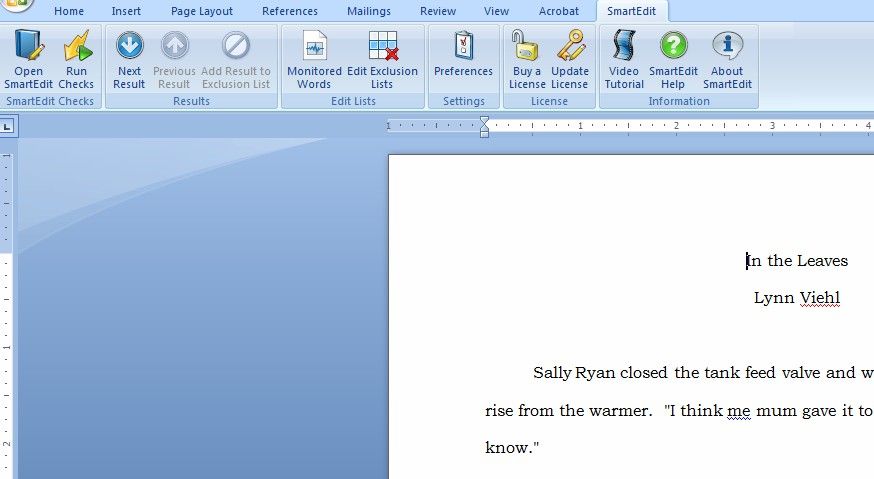
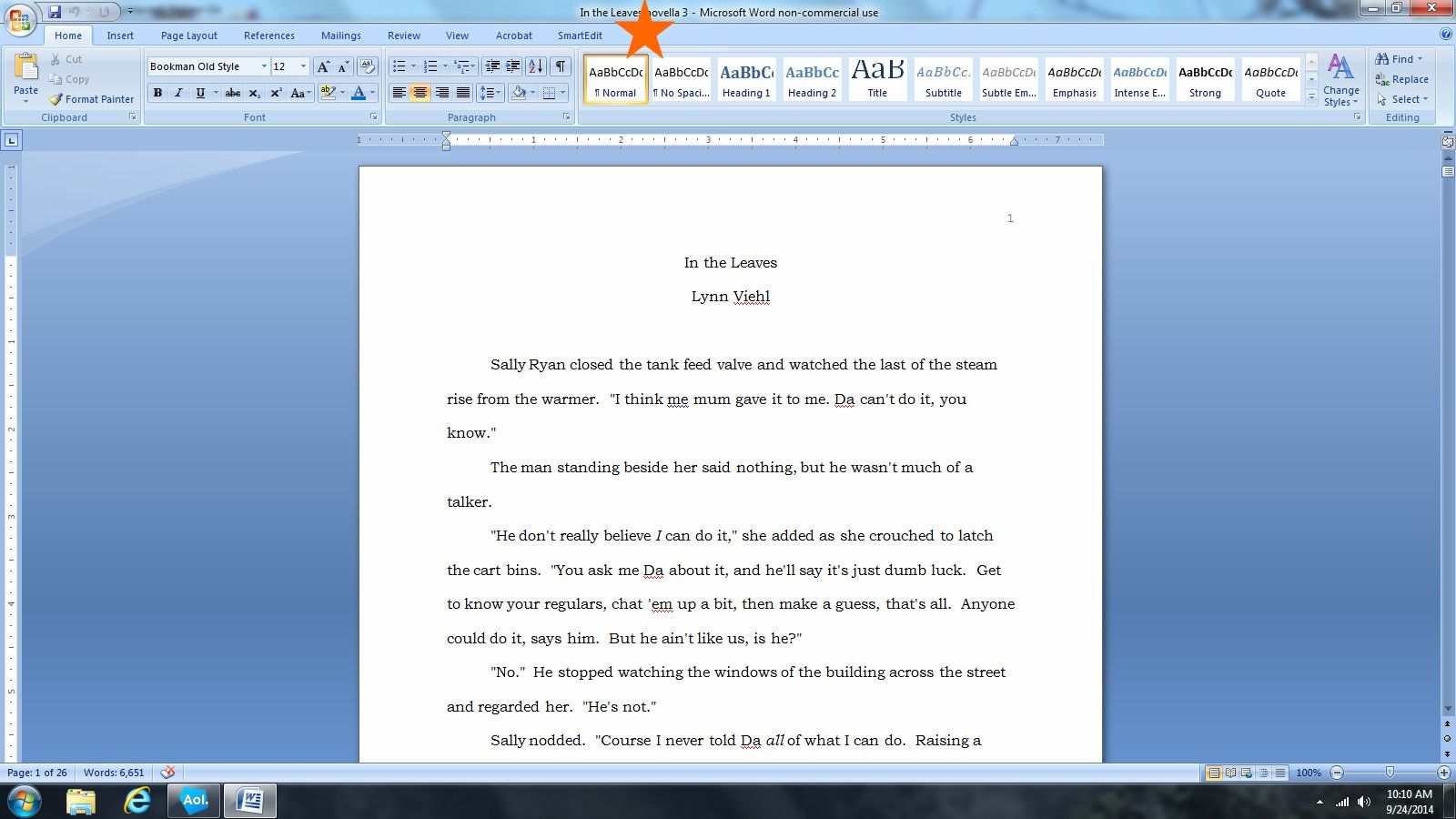
SmartEdit, one of my favorite editing programs, has now been released in a version that works inside Microsoft Word as a plug-in. Here's a screenshot (and you can click on any of these images to go to a larger version):


SmartEdit appears on the tool bar where the orange star is, and when you click on it, it brings up this menu bar:


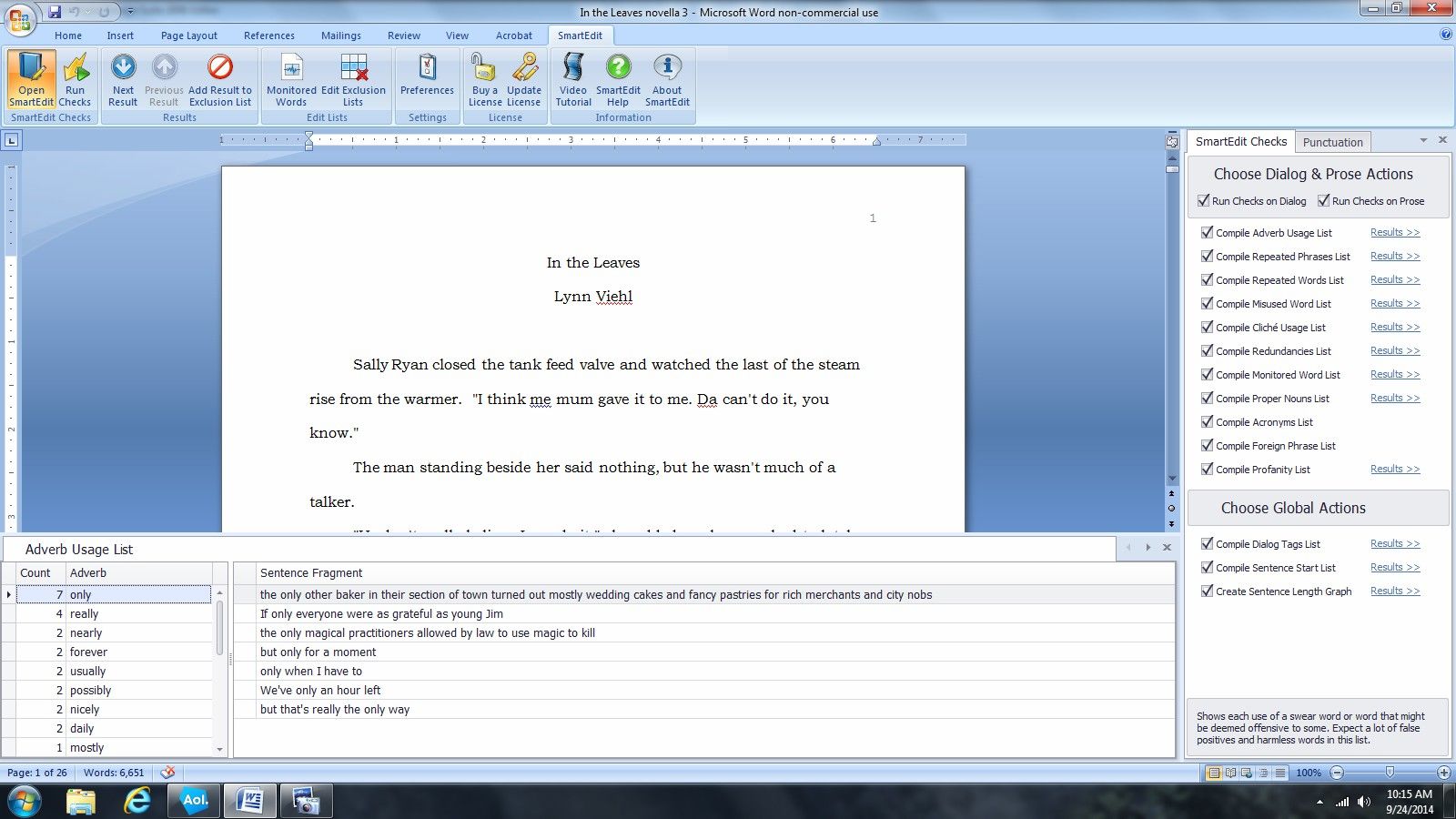
Once you've opened the document you want to check inside Word, you click on SmartEdit, bring up the menu bar and click on Run Checks. From there it works its usual magic:


I already have the original SmartEdit program, and got these screenshots from the free trial, which I'm going to try out for the next week and see if it helps to have it in Word as I'm working (pretty sure that's a yes, but I prefer to do a thorough test drive anyway.) Registered users of SmartEdit like me are also being offered a 60% discount on the new in-Word version until October 8th, which is a very nice price break. Anyone can get the ten day free trial of SmartEdit for Word here.

Tuesday, September 03, 2013

SmartEdit Update

The folks at SmartEdit, my favorite fiction editing software, has just release their latest version of the program with some new features (copied the following from the change log):

Version 3.101 (Release date: August 29th, 2013)

1. Minor release, but contains key new functionality -- free to all licensed users

2. New "Export Reports & Print Reports" toolbar

3. Export results of all checks to Excel (XLSX), CSV, Text (TXT), PDF or HTML

4. Export results of individual checks in the same formats

5. Print results of single checks or of all checks

6.10 Day Trial reset for all trial users

If you have trouble editing your work, don't know what to look for and/or want a completely impartial review, SmartEdit is the way to go. A license for the full program costs $59.95, but you can still test drive it via their free trial, so you can get a real feel for the program before you purchase. I don't often recommend paying for any software, especially with so many freeware alternatives available online. That said, after I did a thorough test drive I bought this one myself, and I use it every week for something, so I do believe it is worth the investment.

Related PBW Links:

Virtual Free Editor

More on Smart Edit

Tuesday, January 15, 2013

Smart Edit Goes Pro

Last summer I discovered a freeware editing program called SmartEdit, which analyzes any text you feed to it and provides lists of and stats on adverbs, clichés, repeated words and other problematic content with the text. The program was so useful that ever since I've been recommending it to other writers.

In December SmartEdit went pro, and while it is still available for a ten-day free trial, a license to use the program beyond that now costs $69.95. While I wish there was still a freeware version available for writers who have no funds, I understand that the developer has to earn a living, too. The real question for me was, is the pro version worth the investment? I decided to buy a license, put the program through its paces and find out.

First, the differences between the two programs; the freeware version of SmartEdit checked:

Repeated Phrases List
Repeated Words List
Adverb Usage List
Monitored Words List
Cliché List


The pro Version of SmartEdit checks:

Repeated Phrases List
Repeated Words List
Adverb Usage List
Monitored Words List
Dialog Tag Counter
Cliché List
Separate Dialog & Prose Checks
Misused Word List
Foreign Phrase Usage List
Profanity Usage List
Suspect Punctuation List
Proper Nouns List
Acronyms List
Sentence Start List
Sentence Length Graph
Smart & Straight Quote Checker
Dash and Hyphen Checker
Word, Character & Page Count


One thing I have to note here is that I did fry the computer on which I had downloaded the old freeware version so I can't pull up the old program to double-check if there was anything else it did; I'm going by the notes I put together for last summer's post on it.

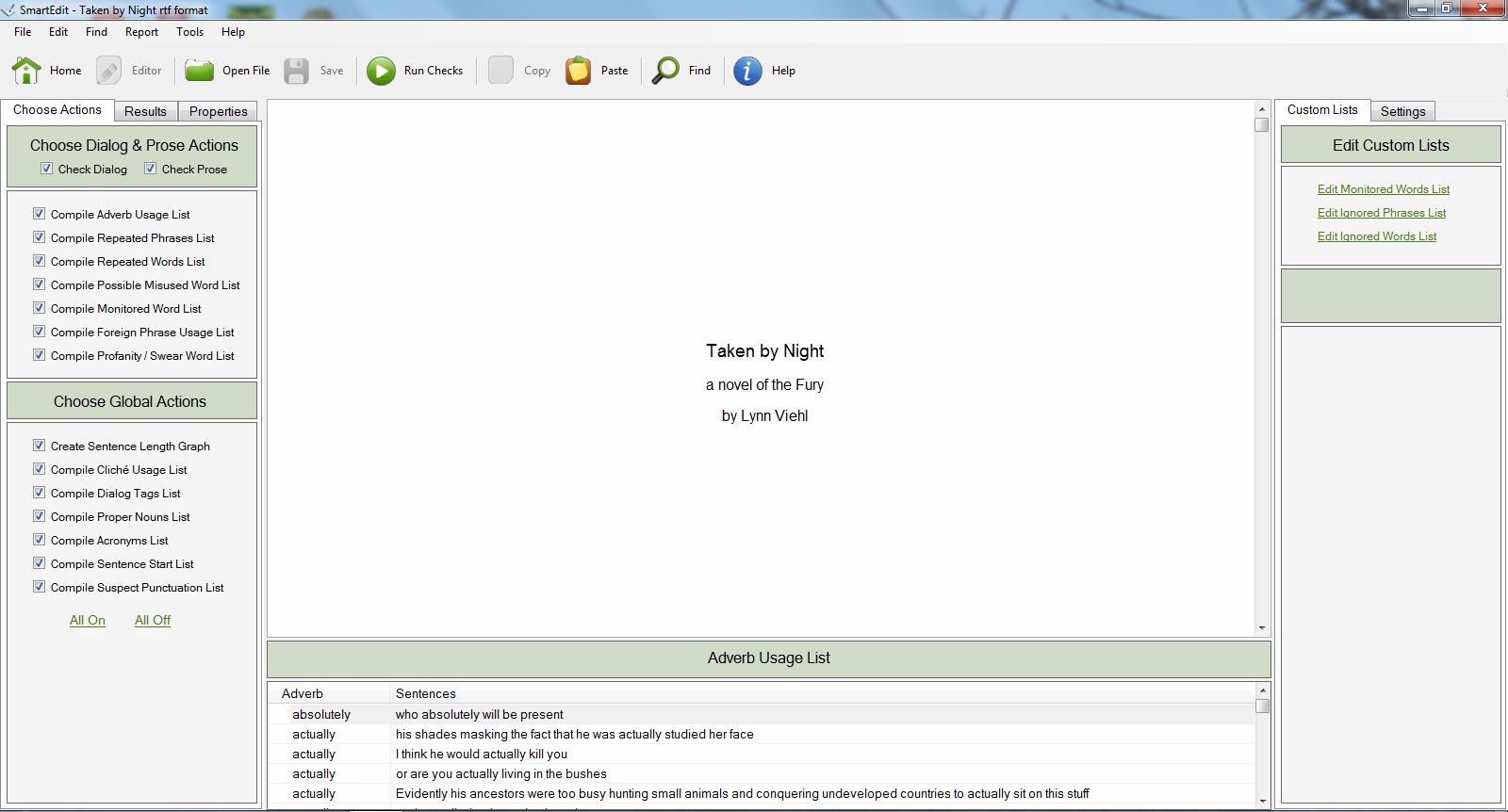
The first thing I noticed as I started up the pro version is that while the basic layout is still the same the program looks much more polished and professional and (obviously) has more options to offer. SmartEdit's scans can be fine-tuned to suit your needs, and also may serve more than one purpose. In addition to searching out problem areas, you can use the program to edit anything from a scene to an entire manuscript in one shot, discover what as well as where your weed words, echoes and other writing weaknesses are, and even create a style sheet for your story.

As before when I test drove the freeware version I decided to feed SmartEdit pro the manuscript for Taken by Night, which was my 50K NaNoWriMo novel and a story that hasn't been edited by anyone but me with the daily edits I did while writing it. I didn't refine any of the scan perameters on the first pass in order to get back the most comprehensive report, and the first report was 210 pages long (which I reduced to 51 pages after eliminating info like all the words and phrases I had repeated only twice, which are reported as a single column.)

As with the freeware version I learned a lot from the scan. The top five phrases I repeated most often were one of the (33 times), out of the (32 times), the rest of (29 times) in front of (17 times) and in the park (16 times.) These are all phrases I would hunt down and weed out as much as possible, along with my individual weed words (i.e. 87 eyes, 41 doors, 39 nods and 31 voices.)

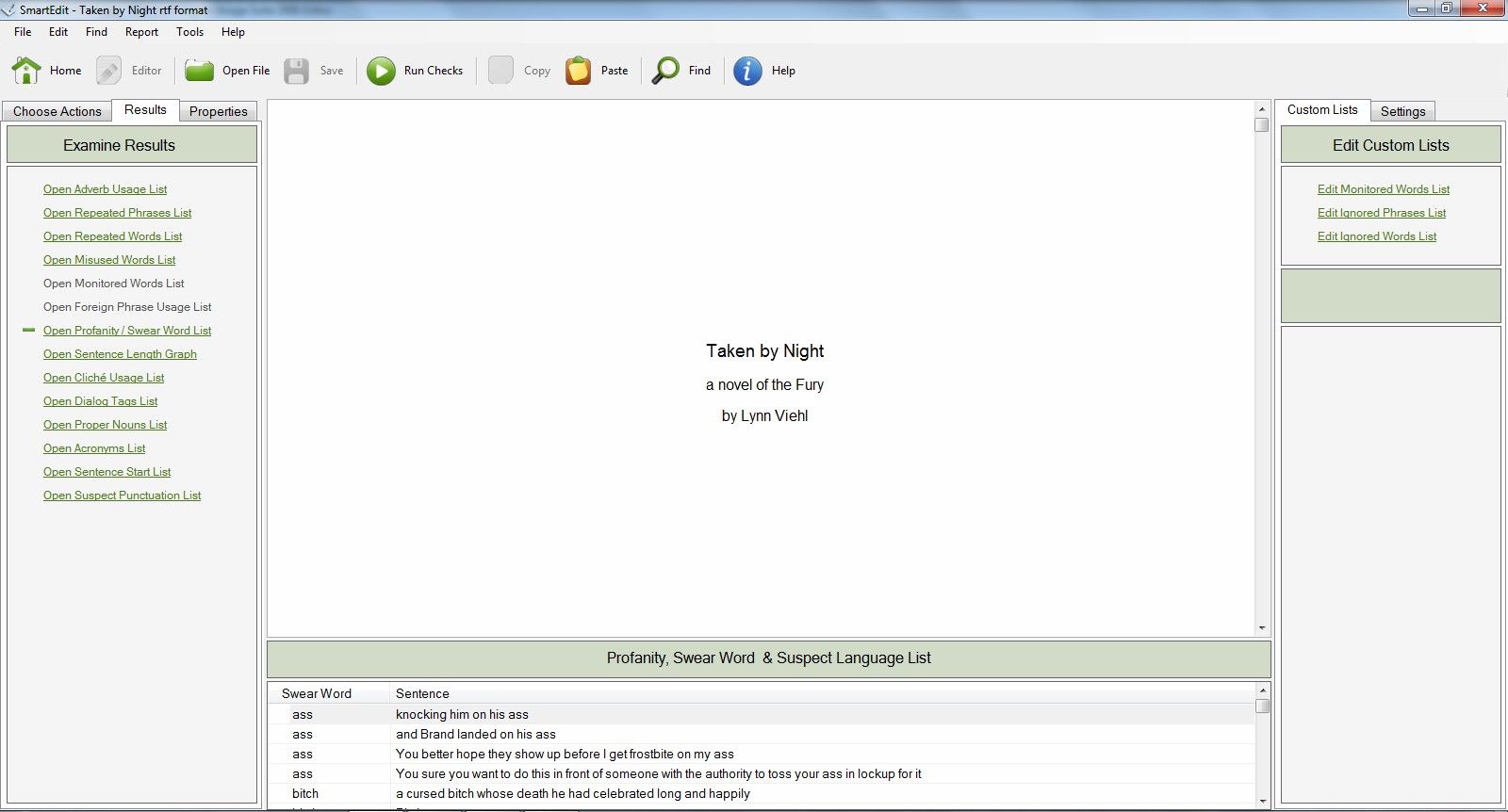
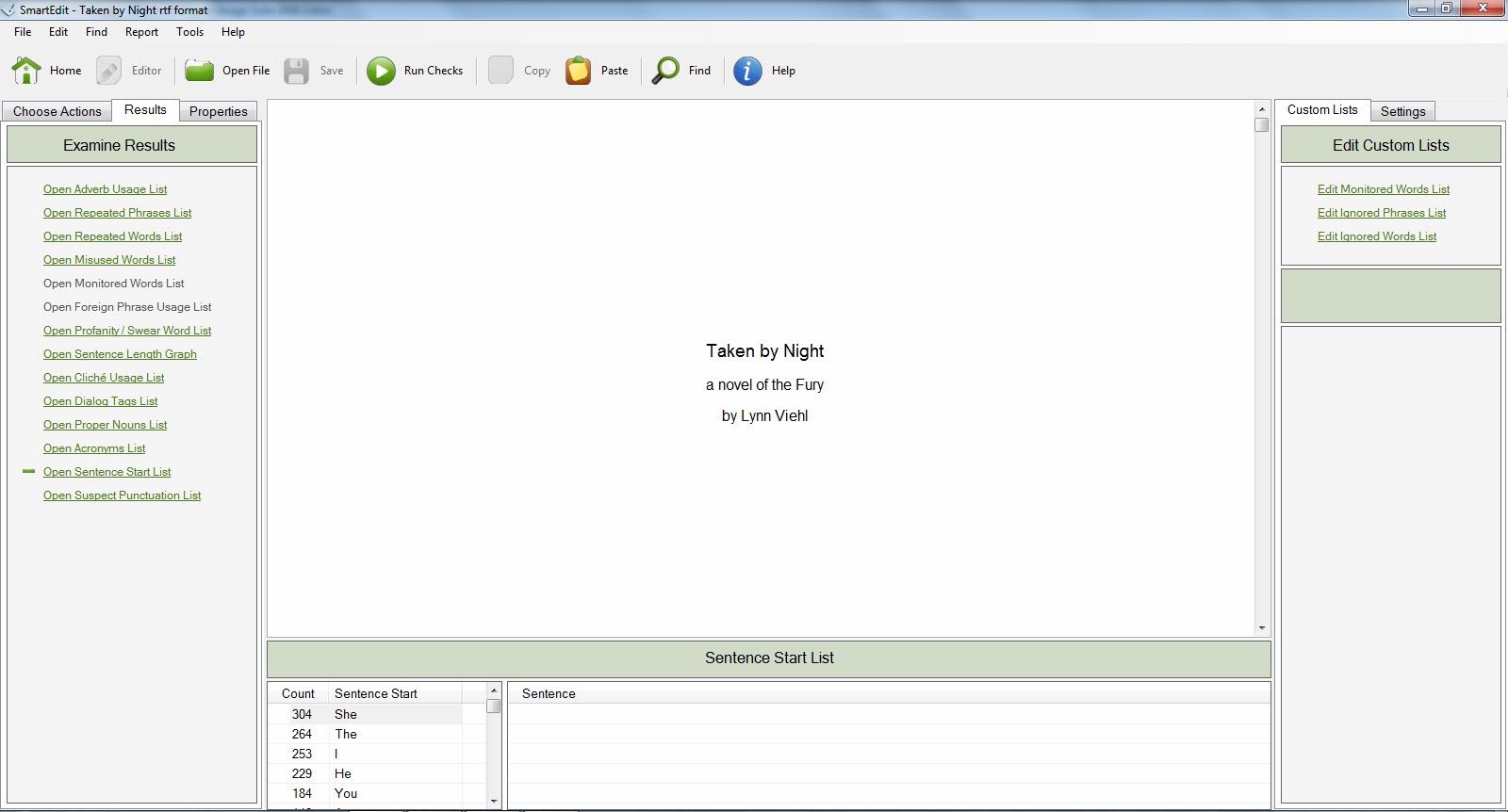
The rest of the report provided lots of new and interesting data for me, too. For example, the scan identified fourteen different words I used that were either profanity or potentially offensive (all intentional and fine with me, but good to know in the event I want to put together a PG version of the ms. to use as a school seminar teaching tool.) My adverb usage report was nine pages long, and while I don't follow that Absolutely No Adverbs Whatsoever rule that seems a bit excessive. I need to take a hard look at my adverb usage during the final edit of the ms. and see if I can trim that down. I also started 304 sentences with She, 264 with The, and 253 with I; it surprised me that those were my top three sentence starters. I put a space in front of a dash 24 different times (typing style preference of mine, and one that most of my editors tolerate) and made one punctuation error by putting a space before a comma (which I do need to fix.) If you'd like to see a copy of the full scan report, I've uploaded it in .pdf format here.

SmartEdit is ideal for me to use as part of my full ms. edit; I'll be working it into my process by running a scan as soon as I finished the first complete draft. I also intend to use it to work on eliminating some of my weed word bad habits as well as simplifying the creation of my own style sheets and foreign language glossaries.

The one major issue I have with SmartEdit is that it's only available for Windows; for now you Mac and Linux users are out of luck (the developer notes that a Mac version may be possible in the future.) I have Windows so it doesn't affect me, but I know plenty of writers who are devoted to their Macs. Since this program is geared specifically toward us I think it should be available to all writers, not just the Windows users.

The freeware version of SmartEdit was a useful editing tool; the pro version is even better, and I think every serious writer should take it for a test drive. You simply can't compile this much information on your own without a great deal of tedious searching and list-making. Even with close attention you will probably miss half of the data SmartEdit can compile for you with a single click. What the program doesn't replace is your internal editor; it's still up to you to analyze the scan results, make the appropriate story decisions and apply that to your manuscript. The nice thing about this program is that it's a good teaching resource for new writers who want to learn what to look for as well as what to think about when they are writing in order to get their manuscripts up to professional level.

Bottom line, is it worth the purchase price? I say yes, absolutely.
Saturday, June 23, 2012

More on Smart Edit

Last week I mentioned the freeware program Smart Edit as a potential helper for writers who want to improve their editing skills. Since I can always use that, I decided to give it a personal test drive and downloaded it with no problems.

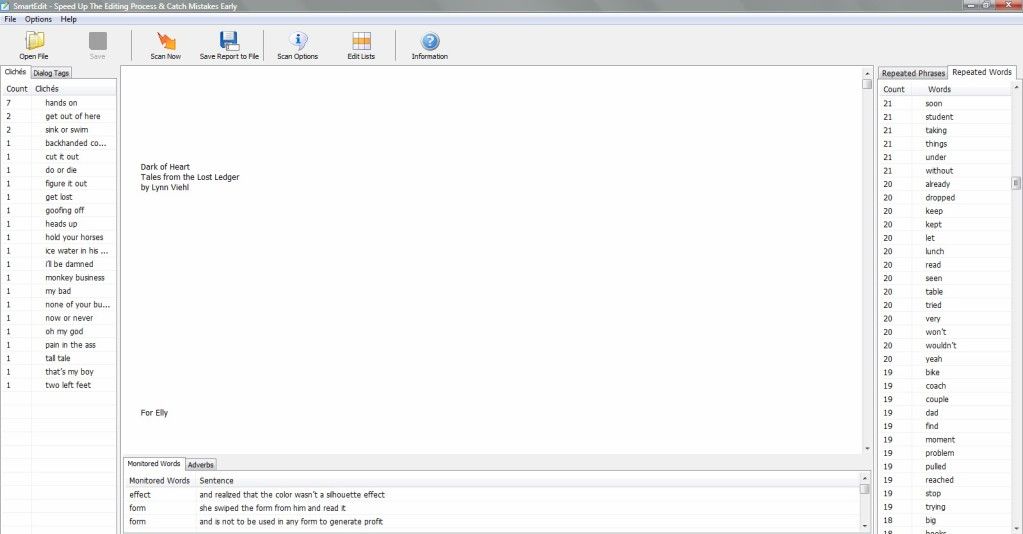
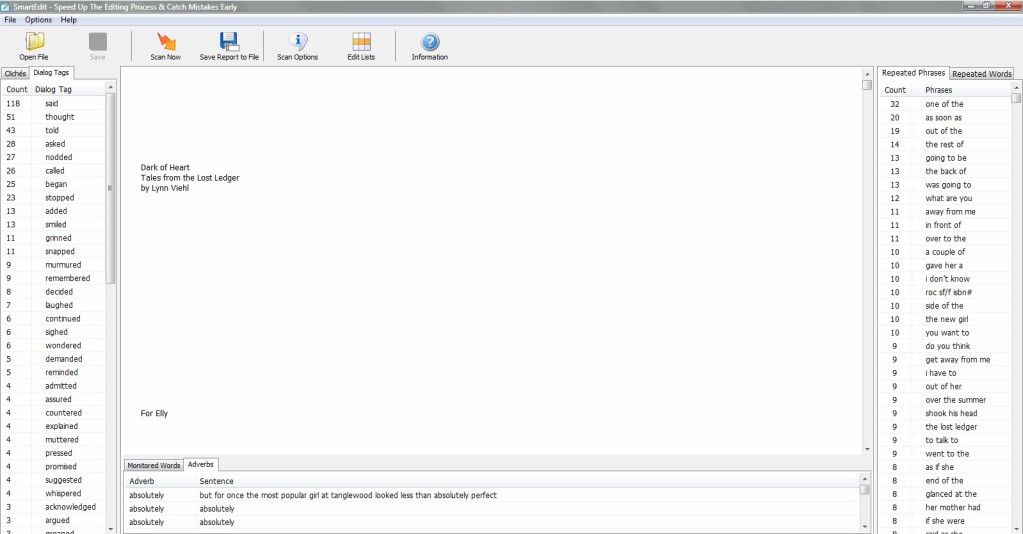
Rather than test it on a manuscript I've worked on with a professional editor (which tend to be pretty clean) I thought a better test run would be to use it to scan one of my freebie e-books, which are edited solely by me. I first converted the .docx file for Dark of Heart to text format -- the program accepts .rtf and text files -- and opened it in the program (the manuscript text appears in the center window on the program screen.) I then hit the Scan Now Icon and let it run.


The program finished scanning the novella in about thirty seconds, and gave me several windows of information with different tabs: Cliches and Dialogue Tags in the left window, Repeated Phrases and Repeated Words in the right window, and Monitored Words and Adverbs in the bottom window (to see another, larger screen shot of my file in the program, click here.) Double click on any of the words in any of the lists and the program takes you to the first time you've used it (at which point you can delete the offending phrase and move on to the next instance of use. You do have to delete or change the phrase before you can double-click to move on to the next one.) I also discovered I could save the scan report, open it in Word and print out a copy, which was really handy as the tabbed windows with the info are small and take awhile to scroll.

The scan report came back with 20 different cliches and the number of times I used them in the novella. Apparently I'm very fond of "hands on" as I used that seven times, and "get out of here" showed up twice. The remaining eighteen phrases were only used once, and I know most of them were used in dialogue lines, so I think I did fairly well there (but if I'd had this program while I was editing the novella, I definitely would have weeded out some of those "hands on".)

I thought I also fared well on dialogue tags; I used "said" 118 times, "thought" 51 times, "told" 43 times, "asked" 28 times and "called" 26 times; all of which I think are perfectly acceptable tags (I don't belong to the school of You Must Only Use Said.) What I didn't like seeing were the 27 times I used "nodded", the 13 times I used "added" and the 11 times I used "grinned"; those are not words I like to use as frequent dialogue tags and I would have yanked them out (and I am going to look over the ms. for exactly where I used "nodded" because I don't think I used it specifically as a dialogue tag; it was probably a physical action phrase to replace one, which I'm prone to do when I get tired of said.)

I did so-so on repeated phrases; my biggest offenders were "one of the" (32 times) and "as soon as" (20 times). My single words with the most repeats surprised me; other than the main character's names (which I think should be at the top of the list) I used the word "down" 122 times, "like" 121 times, "didn't" 116 times, "before" 112 times and "could" 103 times. Two of my ongoing problematic weed words, "eyes" and "door" both came in at 37 repeats which was less than I expected but more than I liked seeing.

The one list that didn't bother me much were the adverbs I used; I didn't have that many in the novella and I'm not allergic to any of the others I used. I know there are writers who spit on adverbs and won't let a single one sully their prose; I never got that memo so I think they can be used sparingly. One thing I did want to mention is that the adverb list never printed out on the scan report, so that may be a minor bug in the program.

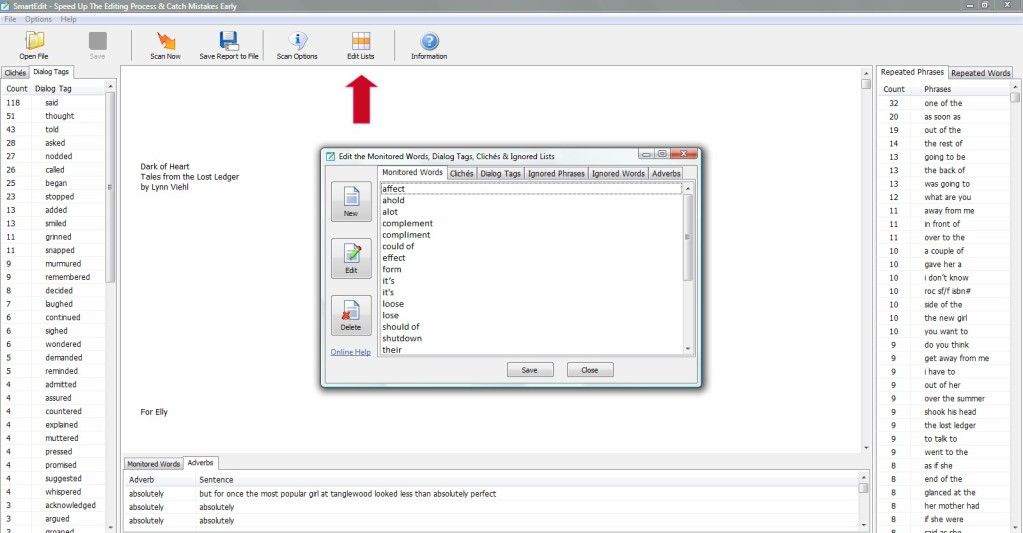
You can edit the words and phrases lists that the program uses for scans; you click on "Edit Lists" and when the smaller options screen appears you pick the tab for the list you want to edit to remove or add anything you want to that portion of the scan (which you can see in this screenshot.) You can also customize your scans as to what you specifically want to search for by checking or unchecking the boxes in the Scan Options window (which you can see in this screenshot.)

Smart Edit won't ever replace a real live editor, and it won't take the job of editing completely off your hands. But I do think it can be helpful for analysis purposes, not only for finding problem words and phrases you may have missed but also by identifying the ones that we as writers are prone to regularly overuse or misuse.